Class 10: Digital Literacy

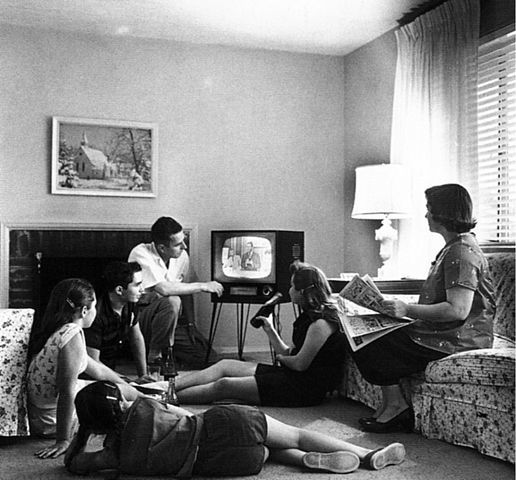
Family_watching_television_1958

This week we have another split class. One component will be our Lesson Study II where students will have 5 mins to pitch a lesson idea for peer feedback. Unlike our first lesson study, no written write up is required. Visual aides are optional.

Then we will turn our attention to emerging ideas of digital literacy. We will revisit an earlier reading Snapshot of a Modern Learner and it’s implication for the classroom. I will offer a brief lecture detailing aspects of  the “new digital literacy.”

  • Find, decode and critically evaluate information.
  • Curate, store and responsibly share it.
  • Effectively filter information flow and stay focussed.

Students will have an opportunity to view GapMinder World – a website that exemplifies redefined learning in the digital era. Students will get to use two additional transformative web-based research tools – NGram Viewer and NY Times Chronicle – to develop and test hypotheses.

Books Ngram Viewer and NY Times Chronicle have many interesting applications in the classroom. For example, they can both be used to introduce the research method – form a hypothesis, gather and analyze data, revise hypothesis (as needed), draw conclusions, assess research methods. Working in teams students can easily pose research questions, run the data, revise and assess their research strategy. Students can quickly make and test predictions. They can then present and defend their conclusions to other classroom groups. All skills called for by the new Common Core standards. Ideas for classroom use Books Ngram Viewer and NY Times Chronicle. For more advanced searches using NGram Viewer click here.

Assignment:
Students will continue work on the their document-based lesson design. Students will begin to layout their document-based lesson using a Google Site. With one webpage to correspond to each page of the lesson.

This step has two goals – (1) to further clarify your lesson (2) to get some experience taking content from one medium – Google Slides to another  – Google sites. It will require you to have your images files for importing into Google site (same workflow as importing into iBooks Author)

For more information on using Google Site see our edMethods Toolkit

Due 11/7

  1. Google site start page that describes:
    Intro to the lesson –  Grade, course, etc and a broad description of “what are the kids going to do?” Essential question. One document as  illustration.
  2. Blog post on edMethods You should then take that content from the start page and use it as the basis of a blog post on our edMethods blog that shares the intent of your lesson. Please include a sample document (image) and a link from edMethods post to your Google site start page.

Due by 11/14

Finish your Google site version of document-based lesson with multiple pages, each page should be designed as one page of your final book with:

  • At least one suitable document (include links and info on source institution, collection number, creator, date).
  • Scaffolding questions for each document that guide students through historical thinking skills being taught.
  • Instructions for students / or teacher on using the lesson

Image Credit: Family watching television. Evert F. Baumgardner, ca. 1958 National Archives and Records Administration

Class 9: Using the Digital Lab

France_in_XXI_Century._SchoolToday we meet in the Digital Lab in the Library.

Our class has two phases:

Document-Based Lesson Pitch: Our class will open with a bit of “speed dating” of our ideas for the Document-Based Lesson Assignment. Students will have 3 mins to stand up and pitch their lesson idea using our shared Google slideshow. That will be followed by 6 mins of feedback from peers regarding the following:

  • You have an interesting generative / essential question worth answering.
  • Your initial appraisal indicates there are suitable documents available.
  • You have an idea for how students will be asked interpret your documents

Intro to iBooks Author: Students will have a chance to see how easy it is to import content into iBA. Some time to mess around with app should give you insight into how you will need to manage your workflow. For more info on using iBA see our edMethods Toolkit


Assignment:

Due 10/31: Next week we will do our second lesson study – be prepared with a 4 minute pitch with a lesson idea (not the same lesson as your document-based lesson). You might use our content, process, product, assessment approach (or any other format you prefer) We will give you feedback. No need for any media presentation or handouts. All oral presentation. Matching Halloween costume optional.


Preview: If you want to plan ahead, here’s what’s coming on document-based lesson. Students will begin to layout their document-based lesson using a Google Site. With one webpage to correspond to each page of the lesson.


Image credit: A 19th-Century Vision of the Year 2000

A series of futuristic pictures by Jean-Marc Côté and other artists issued in France in 1899, 1900, 1901 and 1910. Originally in the form of paper cards enclosed in cigarette/cigar boxes and, later, as postcards, the images depicted the world as it was imagined to be like in the then distant year of 2000. There are at least 87 cards known that were authored by various French artists, the first series being produced for the 1900 World Exhibition in Paris. More information and cards here.

Class 7: Designing a Document Based Lesson

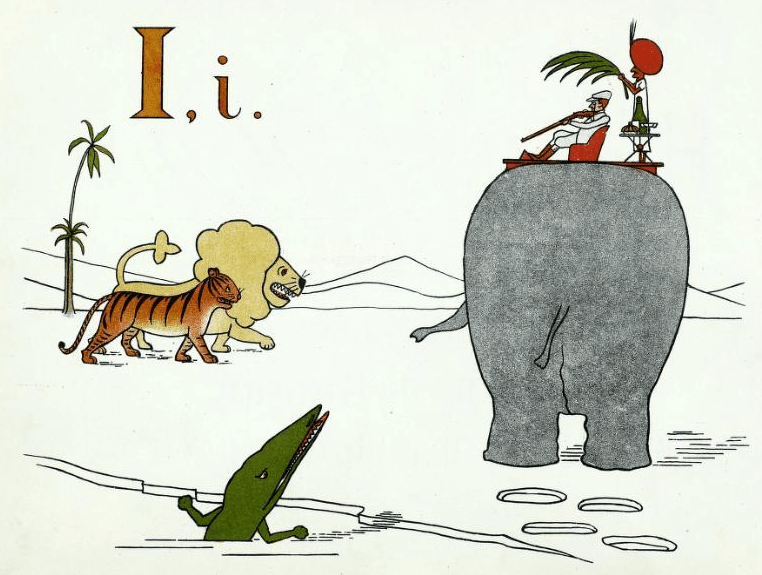
I is for India

I is for India,
Our land to the East
Where everyone goes
To shoot tigers, and feast

Common Core offers an incentive for teachers to use historic documents to build literacy skills in a content area while empowering students to be the historian in the classroom. But a document-based lesson (DBL) in this context requires four key elements to be successful:

  1. The right documents.
  2. Knowing how to look at them.
  3. Letting students discover their own patterns, then asking students to describe, compare and defend what they found. These historical thinking skills correlate with edTPA’s language functions.
  4. Basing the task on enduring questions, the kind that students might actually want to answer.

Class 7 offers strategies for assisting students to more closely read a document (in all their multimedia formats) by answering three Common Core questions.

  1. What did it say?
  2. How did it say it? See: SHEG – Sourcing, Contextualizing
  3. What’s it mean to me? See: SHEG – Corroborating

Here’s a handout of my slide deck 1.7MB pdf


Assignment:

Students will design their own literacy document based lesson.  See assignment here (note – various due dates)

For source material refer to our edMethods Toolkit – Be The Historian


Here’s some some sample DBLs that I have designed:


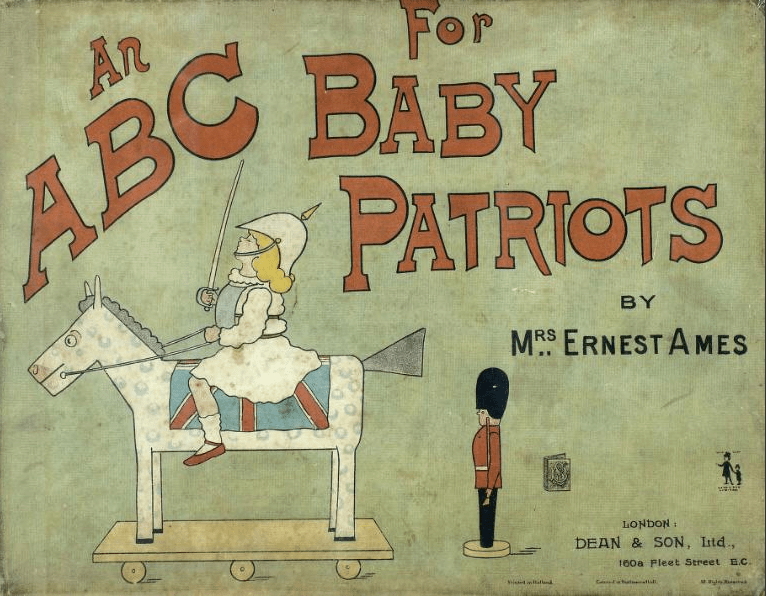
Page from: “An A B C, for baby patriots”
Creator: Ames, Mary Frances
Publisher: Dean & Son
Place of Publication: London (160a Fleet Street E.C.)
Publication Date: [1899]
Archive: University of Florida UF00086056:00001

Document Based Lesson Design Project

An A B C, for baby patriotsWorking as individuals or in 2 person teams, students will design a document-based lesson (DBL) suitable for inclusion in our iBook (available at iTunes).

See class 7 for recommendations for DBLs and Teaching with Documents. Your DBL will include:

  1. Introduction of the DBL with brief historic context as needed.
  2. Generative / essential question
  3. About 5 – 8 related documents (image, text, video, audio) that will assist the students in answering the generative question
  4. Clear statement of what students will be asked to do
  5. Close reading scaffolding question for each document to assist the student in examining the document

A good example of a DBL is Progress and Poverty in Industrial America  This is a pdf version of one of my iBooks. (note: you will not have full function of all the gallery and video widgets). It uses 11 documents, which is a bit more than I expect for your DBL.

The DBL Design Assignment will be accomplished in steps:

Step 1: Develop a brief proposal which will be submitted for peer review via a Google slide presentation that you will deliver to class on 10/24.

We will collaborate in this shared Google slide presentation.
DIRECT LINK TO PRESENTATION

See my YouTube playlist on Working with Google Slides
or check out our edMethods Toolkit–Google Slides

The goal of this phase is to brainstorm your lesson ideas and gather feedback from peers regarding the following:

  1. You have an interesting generative / essential question worth answering. (content)
  2. Your initial appraisal indicates there are suitable documents available.
  3. You have an idea for how students will be asked interpret your documents using historical thinking skills (Sourcing, Contextualization, Corroborating or Close reading)
  4. A broad description of “what are the kids going to do?” (process, product)
  5. See my sample beginning on slide 6 in Google presentation.
Step 2: Begins Google site that presents a first draft your DBL design. Write a edMethods post that shares your idea for a lesson and points to Google site. Due 11/7

For more information on using Google Site see our edMethods Toolkit

  1. Google site start page that describes:
    Intro to the lesson –  Grade, course, etc and a broad description of “what are the kids going to do?” Essential question. One document as an illustration.
  2. Blog post here on edMethods You should then take that content from the start page and use it as the basis of a blog post on our edMethods blog that shares the intent of your lesson. Please include a sample document (image) and a link from edMethods post to your Google site start page.
Step 3: By Friday night 11/19 – Finish your Google site version of document-based lesson with multiple pages, each page should be designed as one page of your final book with:
  • At least one suitable document (include links and info on source institution, collection number, creator, date).
  • Scaffolding questions for each document that guide students through historical thinking skills being taught.
  • Instructions for students / or teacher on using the lesson
Step 4: Prepare content for iBooks Author lab session on 11/21.

This is your first time to move content into the iBooks Author format. You will create a draft chapter that we will prepare for iPads

iBooks Author Workflow? See our edMethods Toolkit

Step 5: Peer review of draft iBook 11/28
Step 6: Write a reflection on your DBL design process and post to our blog (your final post). It will also be added to your iBook chapter – due 12/4.
Step 7: Final design session in Digital lab 12/5

Title: “An A B C, for baby patriots”
Creator: Ames, Mary Frances
Publisher: Dean & Son
Place of Publication: London (160a Fleet Street E.C.)
Publication Date: [1899]
Archive: University of Florida UF00086056:00001