
Tablets, Phones, Laptops, Oh My

Prompt:  Assume you have your first full time teaching job and the principal tells you that you’ve been selected to pilot the  “1 to 1 Project.”  What are your thoughts about the opportunities and challenges that  presents?
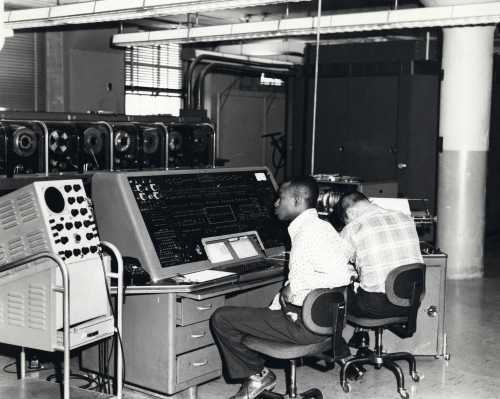
Computer used at a steel mill in 1962.
UNIVAC computer used in 1960 Census

In the ever expanding world of technology it is no surprise that students and teachers are coming to school with electronic devices that just 10 years ago would have seemed impossible to carry in a backpack or pocket. This ever evolving world of technology is pushing the world of education towards a direction suitable for the next generations of children; this new direction is, of course, a one to one classroom where every student will be equipped with a tablet or laptop, and be able to use that device for learning. In some schools this has already been adopted by some teachers or even whole buildings. In these school the teachers are allowing the students to use technology in order to develop a more complex understanding of the material out there. No longer are students required to know the date of an event, when one can simply Google the answer, and get every piece of information about the topic in front of them in real time.

In my experience, seeing the effects of a one to one classroom, mostly in Language Arts, the students are performing at a higher level of task completion. What I can see is that the one to one doesn’t mean the students are developing a more complex critical thinking ability, but instead they are producing projects that a higher level of overall class completion. Students are already advocating for using technology in every assignment given to them. With programs like Google Classroom teachers are able to post, assign, lecture, keep parents informed, and have an easier time keeping track of students work. This also leads to increased feedback responses from teachers. The issue is cost: who is going to pay for all the computers, tablets, or laptops for each student to have?

In my ideal world of teaching I would like to run a one to one classroom with each student having a personal device such as a Macbook, Chromebook or tablet. In the field of Social Studies it has always been about memorizing information and regurgitating facts. I ask myself why? With WiFi, a student can just Google any answer on their phone. I would rather have the students use information found online to develop a greater understanding of the material and researching methods in order to produce a project that reflects the material and the student’s interest. It would also make the role of my teaching a lot easier. I could post lectures, PowerPoint, notes, assignment, etc… to a class website. This would allow students easy, consistent access to anything that they missed or need a refresher on.

In the world today, I do not see any reason for students not to have access to computers in education. It is future of the next generation and beyond. The more access we giving them now, and skills we teach them, the better off they will be in life.

US Census Bureau. (1960) Image. UNIVAC computer used in 1960 census. Website Retrieved October 25, 2015. Link
Technological Muses

3c38998r
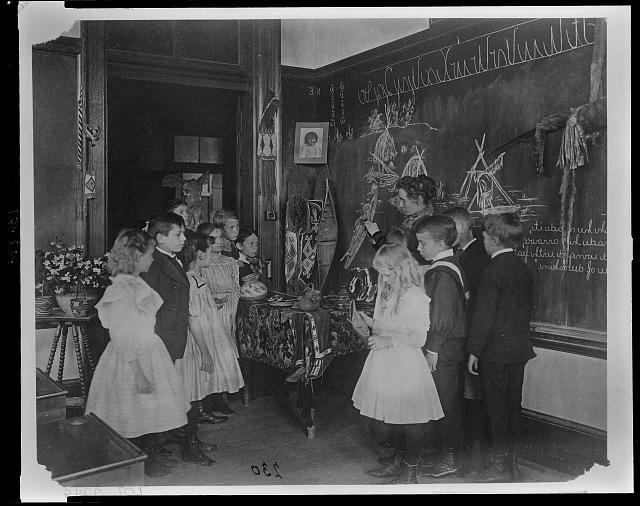
Teacher Showing Students Native American Handicrafts at a school in Washington D.C.

Prompt:  Assume you have your first full time teaching job and the principal tells you that you’ve been selected to pilot the  “1 to 1 Project.”  What are your thoughts about the opportunities and challenges that  presents?

The challenges to running a one to one classroom are minuscule compared to the benefits that they provide students, teachers, and parents in being able to more efficiently and effectively learn. This is especially true in this age where computers are becoming increasingly commonplace in all fields of employ. But the challenges that a one to one classroom give are important enough to warrant consideration, in particular I feel that the first stage of creating a one to one classroom is the hardest since you have to gauge how technologically savvy the students in your class are. The one to one classroom provides an opportunity for students to synthesize information into collaborative projects that doesn’t require everyone to be at the same place at the same time, which is the nail in the coffin for any and all group projects.

Of the challenges that arise in a one to one classroom is the accountability aspect of using the technology. In a traditional classroom setting a teacher can quickly glance around the room and ascertain the approximate level of completion of a project, piece of writing, and focus on a learning task without having to check in with every student. In a one to one classroom a teacher can still check in with every student on a regular basis, but the process is slowed down by the need to open each document up individually to see where the student is on the task. Another challenge that arises in a one to one classroom is the ease in which the documents can be edited, where a mischievous student can ruin the hard work of other students. Fortunately for those schools that use Google Classroom/Doc’s there is a way to see all the edits made inside of the document, and if this feature is previewed before hand and paired with other punishments for altering another students work then most potential interrupters give up.

The chief benefit that the one to one classroom provides is increased activity choices, where students group presentations were limited to pictures drawn on paper in the past, in the one to one classroom students can work together to form PowerPoint style slideshows. The one to one classroom makes what once was under the exclusive ownership of the teacher accessible to students and allows the teacher to focus on the learning activities and tasks rather than trying to push information into a students mind. In these ways the one to one classroom’s learning benefits far outstrip the negatives.


Image Credit: Library of Congress

Title: Teacher Showing Students Native American Handicrafts at a School in Washington, D.C.

Creator: Johnston, Frances Benjamin, 1864-1952, photographer

Date Created/Published: 1899

For One-to-One, Start at Square One

Teacher and class

Prompt:  Assume you have your first full time teaching job and the principal tells you that you’ve been selected to pilot the  “1 to 1 Project.”  What are your thoughts about the opportunities and challenges that  presents?

Talk to a group of teachers, and bring up one-to-one classrooms, and you will probably hear lots of opinions. Five years ago, their response would have been overwhelmingly negative. Ten years ago, probably just laughs. Opinions have changed drastically, but not more since one-to-one has become a reality in many schools. Technology is overwhelmingly available, even if not every classroom is equipped with the latest web-enabled electronics. Often, students have access to technology of their own; they are constantly multi-tasking and learning and socializing, all things that are vital to their development as adolescents. Yet, in many one-to-one classrooms, those that have greater access to technology outside the classroom are not necessarily better off than their peers with more limited access. In such classrooms, students of all ability and intelligence levels too easily fall behind because of their teachers’ assumptions that they know how to use the technology they have been given.

In my limited experience volunteering in one-to-one classrooms, specifically social studies classrooms, teachers generally prefer to begin implanting technology in the classroom by assigning research projects. Students choose or are assigned a topic and are sent to the broad reaches of the internet to find information that they will later present in a PowerPoint, style mandated, of course. The assignment seems simple enough. However, it is not uncommon to find that students do not know how to navigate the infinite repository of information that is the internet. They type the name or title of their topic into their chosen browser, pick the first source, often a semi-reliable wiki source, and copy/paste the information into their presentation. Not only is their research flawed, so, too is their presentation. An assignment that the teacher intended to spread out a vast amount of information and share it with the class just became a waste of class time, and required even more time to re-teach the content.

Suggested solution? First, teachers need to make sure that their students know how to conduct effective research, the methods and strategies that will help them be successful. This not only means how and where to search, but also, what kinds of questions they should ask of their topic and their sources. Sourcing and contextualization are key in any kind of historical research. These should be step one.

Step two is creating an intentional research question for students to answer. Guiding questions and scaffolding are exceptionally useful when encouraging students in a specific research direction. Students need to know exactly what they should be looking for, and what the end product should be if they are to be successful in their endeavors.

Finally, students need to be introduced to what might be called the best practices of presentation. Presentation is as much for the presenters as it is for the audience. If the audience has not learned something by the end of the presentation, it has been for naught. Therefore, it is important that students know the best ways to teach content so that their peers will remember it. This is all about teaching to the brain, and using educational neuroscience to their benefit. This does not require much background, except the kinds of visual representations that are most meaningful.

In the end, there is more to one-to-one classrooms than research and presentations. But if teachers don’t start at square one and teach the building blocks of using that technology, students will be no better off than when they started.


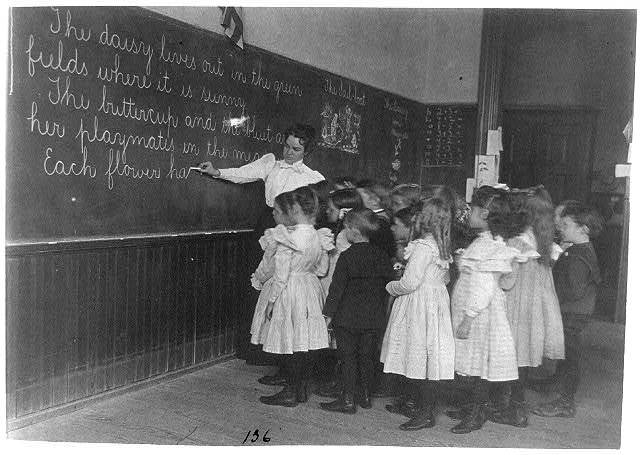
Image Credit: Library of Congress

Title: Elementary school children standing and watching teacher write at blackboard, Washington, D.C.
Creator(s): Johnston, Frances Benjamin, 1864-1952, photographer
Date Created/Published: CA 1899

“Just Google It”

edu48

Prompt:  Assume you have your first full time teaching job and the principal tells you that you’ve been selected to pilot the  “1 to 1 Project.”  What are your thoughts about the opportunities and challenges that  presents?

Like many others, I believe that technology in the classroom can be a huge asset to teachers and students. A few pros of 1:1 technology is that it gives students who may not have access to technology at home to now have a personal device to complete work at home. It also allows students to easily share information through apps such as Google Docs, Padlet, or Haiku Deck. It also gives students the capability to presenting their learning through difference mediums, such as: videos, voice recordings, power point presentations, and even animations. However, from personal experience of participating in a school that enforced the use of 1:1 laptops, I can also see the cons of incorporating it in the classroom.

As an individual pursuing a career in teaching, I see the use of 1:1 Ipads or laptops as an opportunity for students to connect with a learning style that best suits their digital generation. 20 years ago, teachers had set time aside in class to go to a computer lab, and instruct students how to use a computer. Now, Ipads, tablets, and laptops are within arms reach in the classroom, and sometimes students are more technology literate than their teachers. It amazes me as to how easy it is for students to resolve their problems, questions, or confusion by pressing a few buttons. Finding an answer for almost anything can be done with a simple, “Google.”

Although the incorporation of a 1:1 device can easily help students advance in their research, create presentations or videos, and even participate in communities through blog posts such as this, it can also be easily abused. With technology students are capable in completing work at much faster speeds, and with that extra free time students then have the leisure of browsing the Internet, and going off subject within the classroom. Even if the Wi-Fi of a school is able to block content and sites such as Facebook or YouTube, students can be so tech savvy and find proxies to get around it. I mean, I have witnessed teachers ask students how they can get around a system in order to show a YouTube video multiple times. For me it is a fear that even if I do have the power to monitor and check what my students are doing on their computer or tablet, I do not have the time to monitor 15-25 screens constantly to ensure students are not deviating from the class agenda.

Lastly, I strongly believe that handwritten notes and penmanship is a necessary skill in life. Although I understand that having a 1:1 device does not necessarily mean using it for everything in the classroom, I do not want my students constantly relying on a keyboard, online power points, or snapping a picture of class notes to gather information. I want my students to retain information by physically feeling and expressing their thoughts onto a piece of paper. There have been multiple studies done that have concluded that by physically writing individuals are able to retain information better, improve their writing, and remain focused, and I believe that it is because students are able to physically create something, and organize their thoughts in a way that best represents the way they think.

If I were to be put in charge of a 1:1 program, I would want to emphasize that the device is a tool to support learning within in a classroom, rather than attempt to revolve a class agenda to incorporate the technology.

Image from: http://www.glasbergen.com/search/technology+cartoons/?count=12